
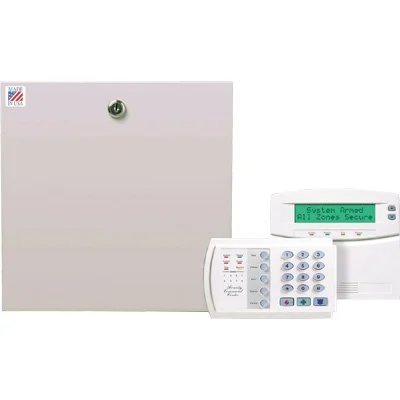
GE/Interlogix Networx
NX4, NX6, NX8, NX8E
Changing and Adding User Codes:
NX-4, NX-6, or NX-8
** System must be disarmed to change user codes **
Add User Codes
Step 1 – Press * 5 and the Master Code (main user code).
Step 2 – The ready light will flash.
Step 3 – Enter the 2 digit “user number” (example: 01 for user #1 if changing Master Code).
Step 4 – Enter the new 4 digit user code.
Step 5 – Press the # key while the ready light is flashing to exit the User Code Programming Mode.
Delete User Codes
Step 1 – Press * 5 and the Master Code (main user code).
Step 2 – The ready light will flash.
Step 3 – Enter the 2 digit “user number” (example: 01 for user #1 if changing Master Code).
Step 4 – Enter * * * *, If deleting another code go to Step 3.
Step 5 – Press the # key while the ready light is flashing to exit the User Code Programming Mode.
** Do NOT delete User 01(Master Code) **
Note: When programming codes on NX-148E keypad the last digit entered often looks different than number entered, but is entered correctly.
NX-8E – Uses 3 digit user codes, 001 instead of 01 for instance. The NX-8E panel can also store up to 240 user codes.
Library
User Manuals - Panels